Scrapers / Developer & File Tools

HTML to PDF
hipersoft/html-to-pdf
Render any URL or raw HTML into a pixel-accurate PDF with headers, footers, margins and page size. Generate invoices, reports and receipts from templates in an n8n or Make workflow.
Total users
2Monthly users
1Total runs
101Per pdf generated
$0.01Last rebuilt
Oct 26, 2026Overview
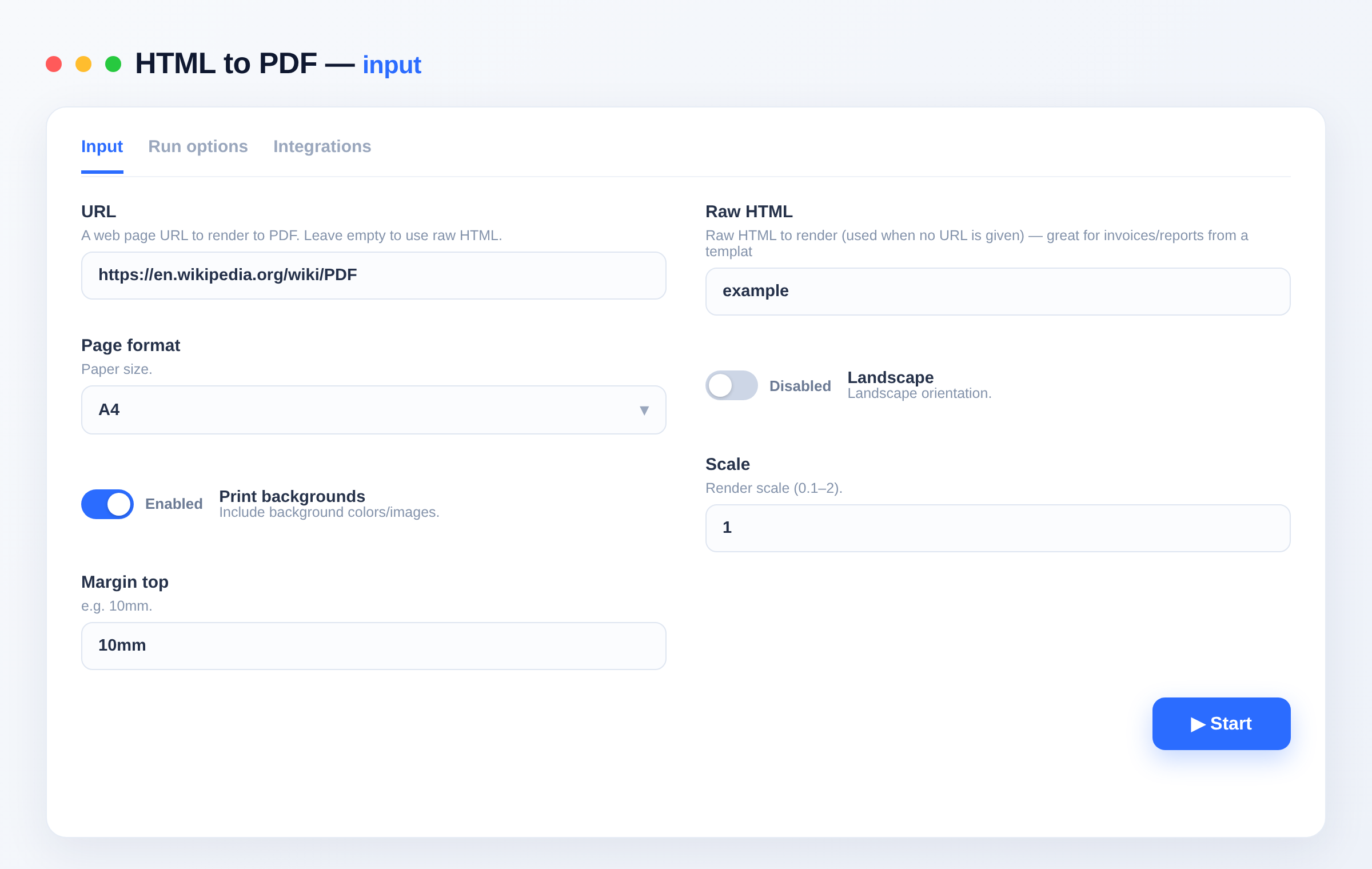
Render any URL or raw HTML into a pixel-accurate PDF — with page size, orientation, margins, backgrounds and header/footer templates. Generate invoices, reports, receipts and certificates from templates inside an n8n, Make or Zapier workflow.
What it does
- Renders a URL or raw HTML to PDF with a real browser engine.
- Control page format, orientation, margins, scale and backgrounds.
- Optional header/footer templates (page numbers, dates).
Use cases
- Document generation — turn an HTML invoice/report template into a PDF in a workflow.
- Archiving — save web pages as PDF.
- Automation — the PDF step for n8n/Make pipelines (no self-hosted renderer needed).
Input
{ "url": "https://example.com/invoice", "format": "A4", "printBackground": true, "marginTop": "12mm" }
| Field | Type | Description |
|---|---|---|
url |
string | Page to render (or use html). |
html |
string | Raw HTML to render. |
format |
string | A4, Letter, Legal… |
landscape |
boolean | Landscape orientation. |
printBackground |
boolean | Include backgrounds. |
scale |
string | Render scale (0.1–2). |
marginTop/Bottom/Left/Right |
string | Page margins (e.g. 10mm). |
headerHtml / footerHtml |
string | Optional header/footer templates. |
Output
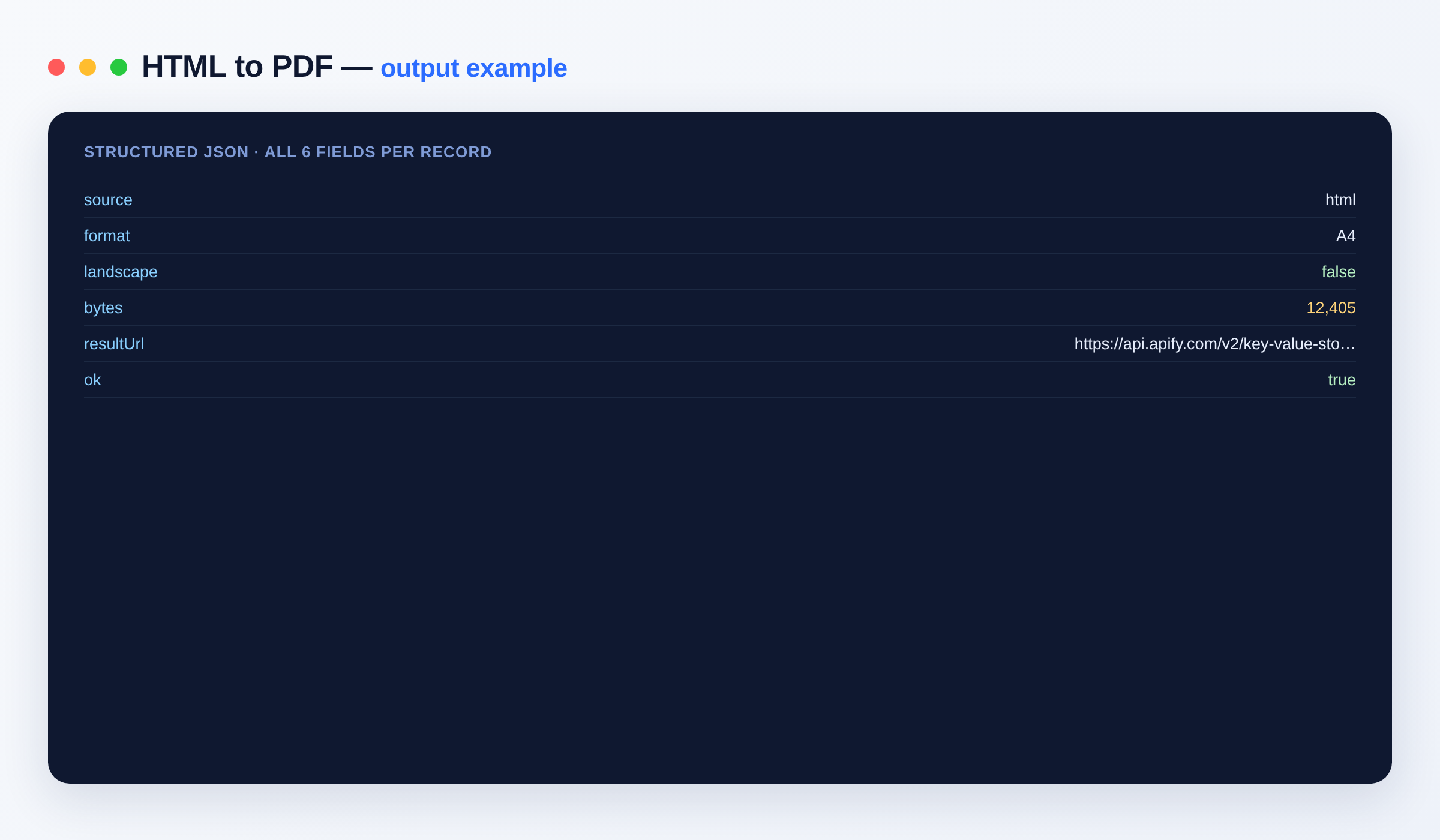
{ "source": "https://example.com/invoice", "format": "A4", "bytes": 48213, "resultUrl": "https://api.apify.com/v2/key-value-stores/.../records/document.pdf", "ok": true }
Output schema
| Field | Type | Description |
|---|---|---|
source |
string | The URL or html. |
format |
string | Page format used. |
bytes |
integer | PDF size. |
resultUrl |
string (URL) | Link to the PDF. |
FAQ
Can I generate invoices from a template? Yes — send your filled HTML in html and get the PDF back.
Can I use it in n8n? Yes — run it from the Apify node in your workflow, or via integrations and the Apify API.
Notes
Original clean-room implementation.
Input
| Field | Type | Description |
|---|---|---|
urlURL | string | A web page URL to render to PDF. Leave empty to use raw HTML. |
htmlRaw HTML | string | Raw HTML to render (used when no URL is given) — great for invoices/reports from a template. |
formatPage format | string · A4, A3, A5, Letter, Legal, Tabloid | Paper size. Default: "A4" |
landscapeLandscape | boolean | Landscape orientation. Default: false |
printBackgroundPrint backgrounds | boolean | Include background colors/images. Default: true |
scaleScale | string | Render scale (0.1–2). Default: "1" |
marginTopMargin top | string | e.g. 10mm. Default: "10mm" |
marginBottomMargin bottom | string | e.g. 10mm. Default: "10mm" |
marginLeftMargin left | string | e.g. 10mm. Default: "10mm" |
marginRightMargin right | string | e.g. 10mm. Default: "10mm" |
headerHtmlHeader HTML | string | Optional header template (supports date, title, pageNumber classes). |
footerHtmlFooter HTML | string | Optional footer template. |
outputNameOutput filename | string | Name for the PDF. Default: "document.pdf" |
API
curl -X POST "https://api.apify.com/v2/acts/hipersoft~html-to-pdf/run-sync-get-dataset-items?token=$APIFY_TOKEN" \
  -H "Content-Type: application/json" \
  -d '{
  "url": "https://en.wikipedia.org/wiki/PDF"
}'
from apify_client import ApifyClient
client = ApifyClient("YOUR_APIFY_TOKEN")
run = client.actor("hipersoft/html-to-pdf").call(run_input={
"url": "https://en.wikipedia.org/wiki/PDF"
})
for item in client.dataset(run["defaultDatasetId"]).iterate_items():
print(item)import { ApifyClient } from 'apify-client';
const client = new ApifyClient({ token: 'YOUR_APIFY_TOKEN' });
const run = await client.actor('hipersoft/html-to-pdf').call({
"url": "https://en.wikipedia.org/wiki/PDF"
});
const { items } = await client.dataset(run.defaultDatasetId).listItems();
console.log(items);Pricing
| Event | Price | Paid plans from |
|---|---|---|
| PDF generated One PDF rendered from a URL or HTML | $0.01 | $0.005 |
You pay only for what the run returns. Set a maximum cost per run and it stops cleanly at that limit.
Related scrapers
Bulk Image Downloader
Download thousands of images from a list of URLs and store each in the key-value store with a public link. Returns content type, size, dimensions and SHA-256 per image. Bulk-ready. Great for datasets, backups and media pipelines.
8,102 runs · 103 users · $0.056 / url processed
Text to Speech
Convert any text to natural-sounding speech as an MP3 download. 300+ premium neural voices across 70+ languages, adjustable rate, pitch and volume. Great for voiceovers, videos, accessibility and audio content. No setup.
278 runs · 22 users · $0.01 / audio generated
Google Maps Email Extractor
Search Google Maps for businesses, then crawl each business website to extract emails, social profiles and extra phone numbers. Turns any Maps search into a ready lead list. No setup.
159 runs · 8 users · $0.006 / business lead scraped
Website Screenshot
Capture full-page or viewport screenshots of any URL as PNG or JPEG, at any device size. For monitoring, previews, thumbnails and automation workflows.
156 runs · 3 users · $0.004 / screenshot captured
Bulk URL Status Checker
Check thousands of URLs over plain HTTP: status codes, broken links (404/410/5xx), full redirect chains, response time, content type, page title and SSL certificate expiry.
154 runs · 13 users · $0.002 / url checked
Google Search Scraper
Scrape Google Search results (organic listings) for any query: title, URL, displayed URL, snippet and position. Multi-query, per-country/language, pagination. Uses Google SERP proxy — reliable, no captcha, no setup.
121 runs · 8 users · $0.001 / result scrapedSend the site and the fields. We build it and you get it first.